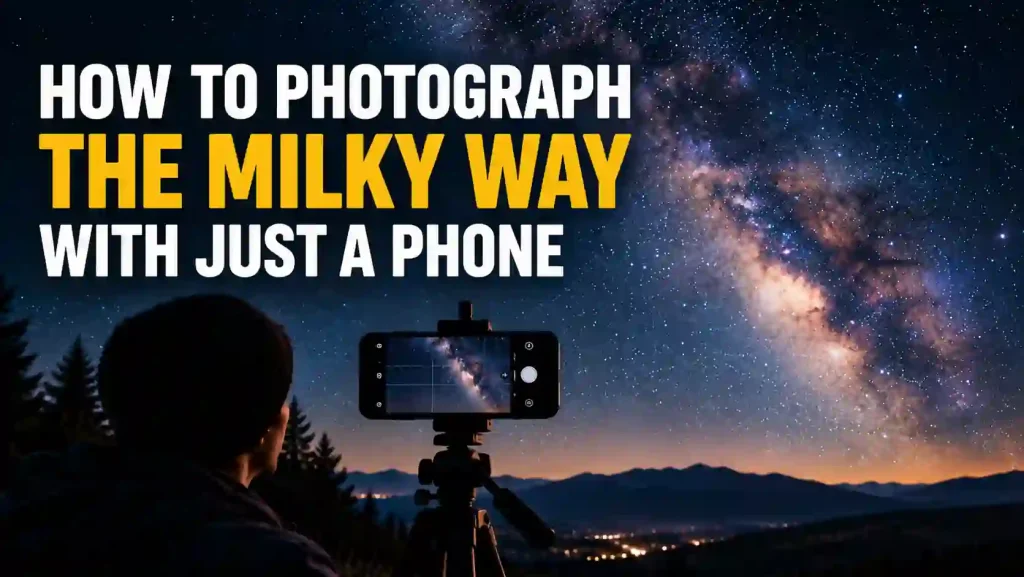
Yes, a modern phone can photograph the Milky Way, using its Night mode or Pro/manual mode set to a long exposure, a tripod to hold it perfectly still, and a genuinely dark sky. It will not look like the deep, colorful, high-detail images you have seen online, which are usually shot on dedicated cameras with large sensors and stacked, processed exposures. A phone photo of the Milky Way is real, and can be genuinely striking, but it is a fainter, softer, lower-detail version of the same thing. Knowing that going in saves you a frustrating night of comparing your result to something a phone was never going to produce.
What a Phone Can Actually Capture (and What It Can't)
A camera's ability to gather faint light comes down largely to sensor size and exposure time. A phone's sensor is dramatically smaller than even an entry-level dedicated camera's, which means it physically collects less light per exposure. Phone manufacturers compensate for this with computational tricks, mainly Night mode's approach of stacking many shorter exposures together and processing them into one brighter, cleaner image, rather than one long single exposure the way a dedicated camera would shoot it.
The result: a phone can capture the Milky Way's bright core as a real, visible band, along with the brightest stars, under a sufficiently dark sky. What it generally cannot do as well as a dedicated camera is resolve fine detail, hold color accurately in very low light, or avoid visible noise (a grainy, speckled look) once you push exposure and processing to their limits. This is the physical limit, not a settings problem you can fix by trying harder.
Before You Shoot: Sky, Darkness, and Timing
None of the camera settings below matter if the sky itself is not dark enough or the Milky Way's core is not up. Get this right first:
- A genuinely dark sky is non-negotiable. Even the best phone camera cannot photograph what heavy light pollution has already erased. See our guide to what light pollution actually costs a stargazer and the Bortle scale explained to understand how dark your own sky needs to be.
- You need the right season and time of night. The Milky Way's bright core is not visible year-round from every location. Our guide to the best time of year to see the Milky Way's bright core covers the actual seasonal window.
- A moonless or near-moonless night helps significantly, since even a partial Moon adds enough light to wash out the faint core the same way city light pollution does. Our guide to how to see the Milky Way with the naked eye covers this timing in more depth.
- Get somewhere genuinely dark. If your own sky does not qualify, our guide to finding a dark sky site near you will help you find a better one within a reasonable drive.
Phone Settings That Matter
Once you are at a dark enough site on a good night, the settings themselves are simpler than most guides make them sound:
- Use Night mode, or your phone's Pro/manual mode if it has one. Manual mode gives you direct control over exposure time and ISO, which generally produces a more consistent result for night sky shots than an automated Night mode built primarily for handheld low-light photos of everyday scenes.
- Set focus to infinity, manually. Autofocus routinely fails in near-total darkness because it has nothing with enough contrast to lock onto. Most phone camera apps let you tap and manually drag focus to its farthest setting.
- Start with a longer exposure and adjust. A starting point in the 10 to 30 second range is common in phone astrophotography guidance, adjusted based on your results, since exact ideal settings vary by phone model and exact darkness.
- Keep ISO as low as your exposure time allows. Higher ISO brightens the image but adds visible noise; a longer exposure at a lower ISO generally produces a cleaner result than a short exposure pushed with a high ISO.
- Turn off flash entirely. It will not reach the sky and will ruin foreground exposure and everyone's night vision.
Keeping the Phone Still
A long exposure amplifies any movement into a blurry, ruined shot. A tripod, even a small, inexpensive one, is close to mandatory for this kind of shot, since handholding a multi-second exposure reliably will not work. If you do not have a tripod, propping the phone securely against a solid, stationary object and using a timer or voice command to trigger the shot (rather than tapping the screen, which introduces shake) is a workable substitute. A short self-timer delay of a few seconds after you tap the shutter also helps, since it lets any vibration from your touch settle before the exposure starts.
The Honest Section: Why It Won't Look Like the Photo You Saw Online
Most striking Milky Way images online are not single exposures at all. They are typically shot on a dedicated camera with a much larger sensor, using a wide, fast lens, and often combine multiple exposures (sometimes a separately exposed foreground and sky) blended together in editing software. Your phone's Night mode is doing a simplified, automated version of a similar idea (stacking multiple frames), but with a fraction of the light-gathering capability and none of the manual, frame-by-frame control a photographer editing raw files has.
That does not make a phone shot pointless. A genuinely dark sky, a steady phone, and patience will get you a real, recognizable photo of the Milky Way's band, and for most people that is a satisfying, honestly earned result on its own. Just do not judge your phone, your technique, or your sky by comparing it to an image that was never produced the same way.
Frequently Asked Questions
Do I need a special app to photograph the Milky Way on my phone?
Not necessarily. Most modern phones include a built-in Night mode or Pro/manual mode capable of the long exposures this requires. A dedicated astrophotography app can offer more manual control, but it is not required to get a usable first result.
Does the brand or model of phone matter?
Yes, meaningfully. Newer phones with larger sensors and more capable Night mode processing will generally outperform older or budget models at this specific task, since it depends heavily on how much light the sensor can gather and how well the software processes a stacked low-light exposure.
Why is my photo just coming out completely black?
This usually means either your sky is not dark enough (light pollution or a bright Moon), your exposure time or ISO is too low for the conditions, or your focus is not actually set to infinity, so the whole frame is out of focus and the faint light never resolves into anything visible.
Can I improve a phone Milky Way photo afterward?
Yes, moderate brightness, contrast, and noise-reduction editing in any standard photo app can meaningfully improve a phone night shot, similar to how dedicated cameras' images are processed, just with less raw detail to work with to begin with.
Is a tripod really necessary, or can I brace the phone on something?
A tripod is strongly recommended but not the only option. Any completely stationary surface, combined with a timer or remote shutter trigger to avoid touch-induced shake, can work as a substitute.